Video and performance
See the technique behind the numbers.
A speed change tells you where to look. Video helps you understand the moment. Vantage brings footage, GPS tracks and sailing measurements together so sailors and coaches can review technique in the context of the session.
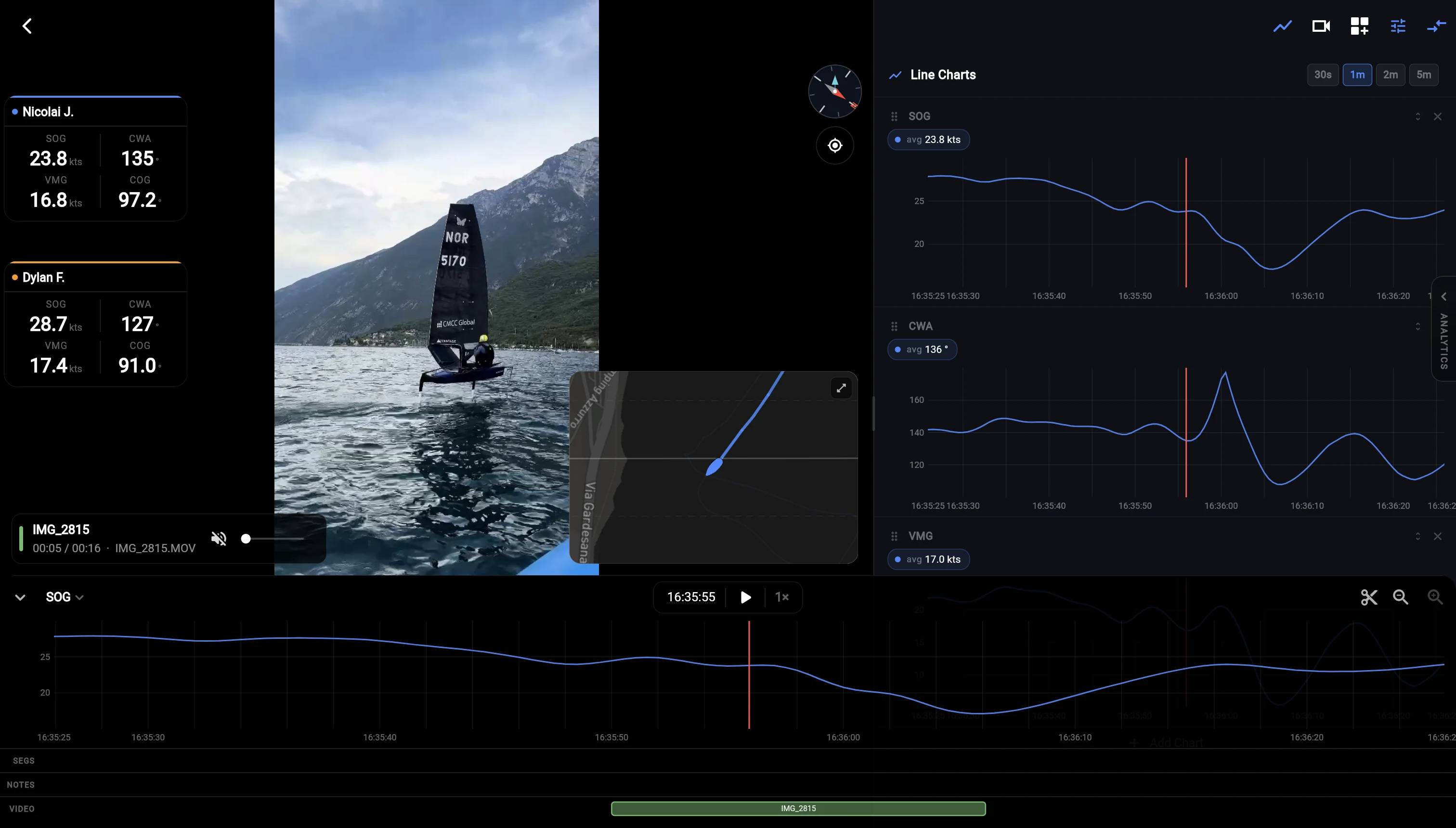
Put the footage on the sailing timeline
Add video to an activity, then check a recognizable turn against the track. If the camera time differs from the recording, use the video timestamp correction and its alignment preview. Once aligned, the footage follows the replay time as you play or scrub the session, keeping the review focused on the sailing.
Align and review footageLook closely at a turn or a change in pace
Watch the sailor’s technique while following the available speed, course and other measurements. On a larger screen, line charts make changes over time easier to inspect. Switch the emphasis between video and map to understand both the action in the boat and its place on the track. Available measurements depend on the recording source.
Use the replay toolsTake the review from the dock to the debrief
Upload a cloud copy of your footage from mobile, then open the activity with the same account in the web app. The completed cloud upload makes the video available across devices. This lets you gather material on your phone and review it later with the space of a larger screen.
Review video across devicesShare the part worth discussing
Create a short clip with sailing measurements overlaid on the footage. Choose the interval, overlay style, framing and metrics in the export editor. A focused clip gives your debrief a clear reference and lets you share the moment without asking someone to search through the whole recording.
Create a video with telemetryBring your next session into focus.
Video upload, analysis and export require Pro or Coach. Both include 100 GB of cloud video storage. Starter does not include video features; this also applies to footage kept locally.